About the Change Approval Workflow
This section describes the default change approval workflow. See Using Workflows for information on modifying workflows.
The Default Change Approval Workflow
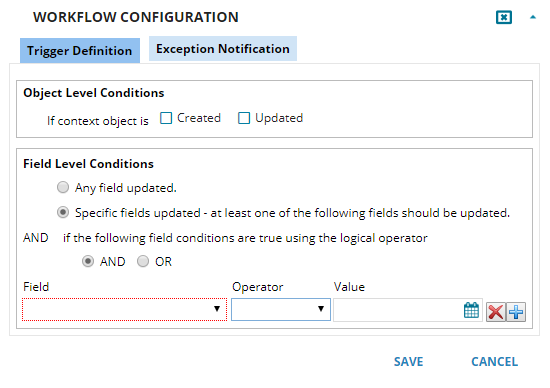
Trigger Definition Configuration
Under Field Level Conditions, do the following:
•Select Specific fields updated - at least one of the following fields should be updated.
•For the Field field, select Status.
•For the Operator field, select Equal to.
•For the Value field, select Pending Approval.
Change Workflow Trigger Definition
•Set the exception notification to an email template.
Workflow
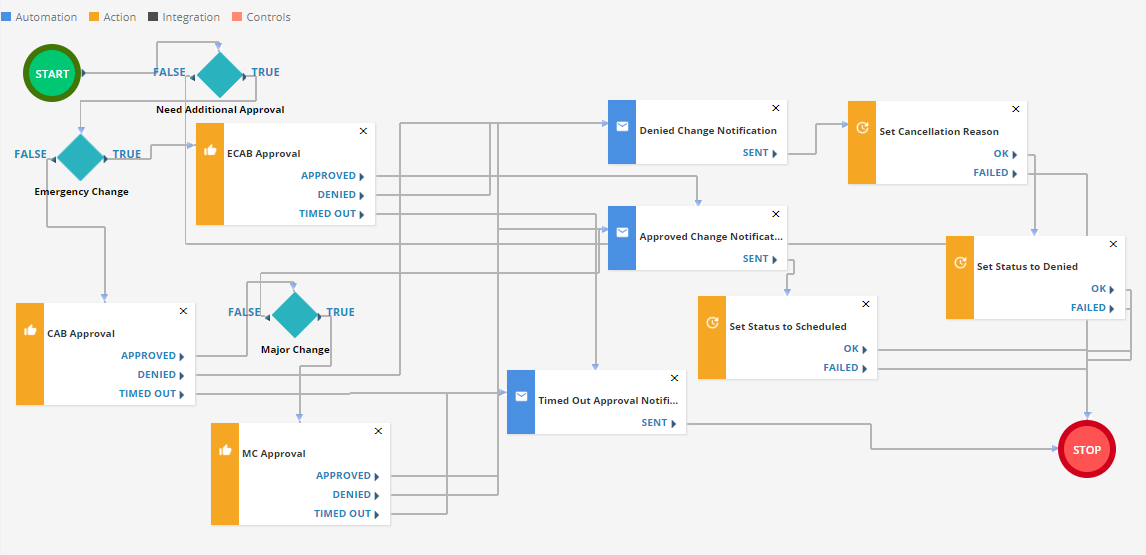
1.If Need additional approval
Change type not equal to standard
AND
Change type not equal to minor.
•If true: Go to If emergency change
•If false: Go to stop.
Change type equal to emergency.
•If true: Go to Get Approval ECAB approval
•If false: Go to Get Approval CAB approval
Change type equal to major.
•If true: Go to Get Approval MC approval
•If false: Go to Notification Approved change notification
Get ECAB Approval
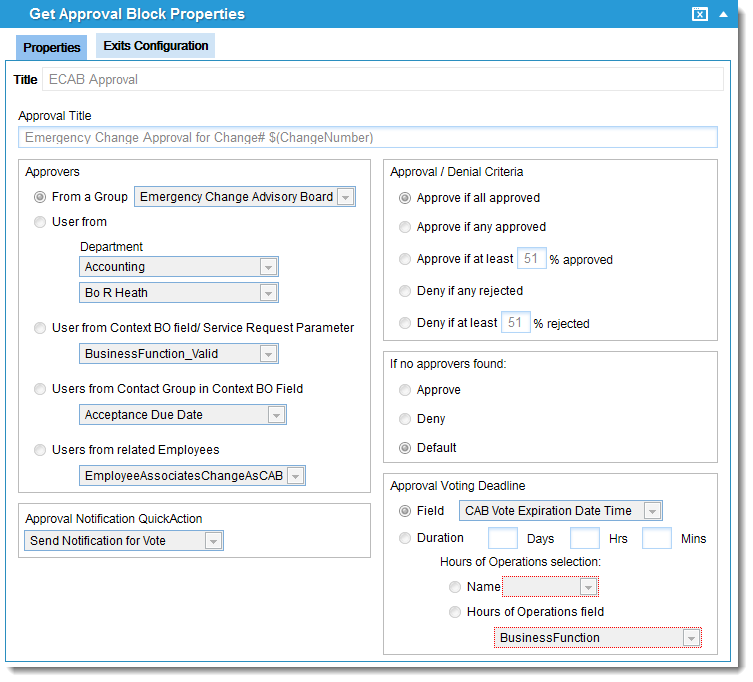
•If approved: Go to Notification Approved change notification
•If denied: Go to Notification Denied change notification
•If timed out: Go to Notification Timed out approval notification.
Get CAB Approval
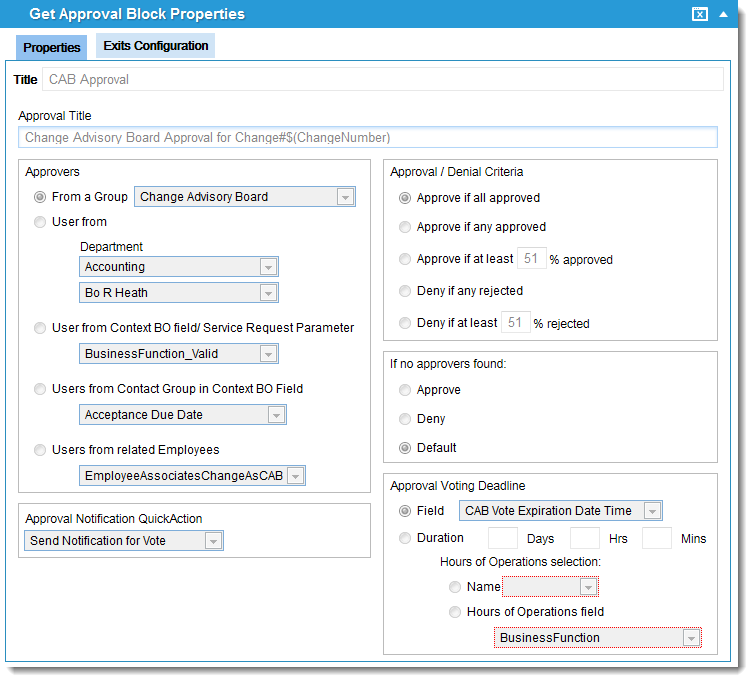
•If approved: Go to If major change
•If denied: Go to Notification Denied change notification
•If timed out: Go to Notification Timed out approval notification.
Get MC Approval
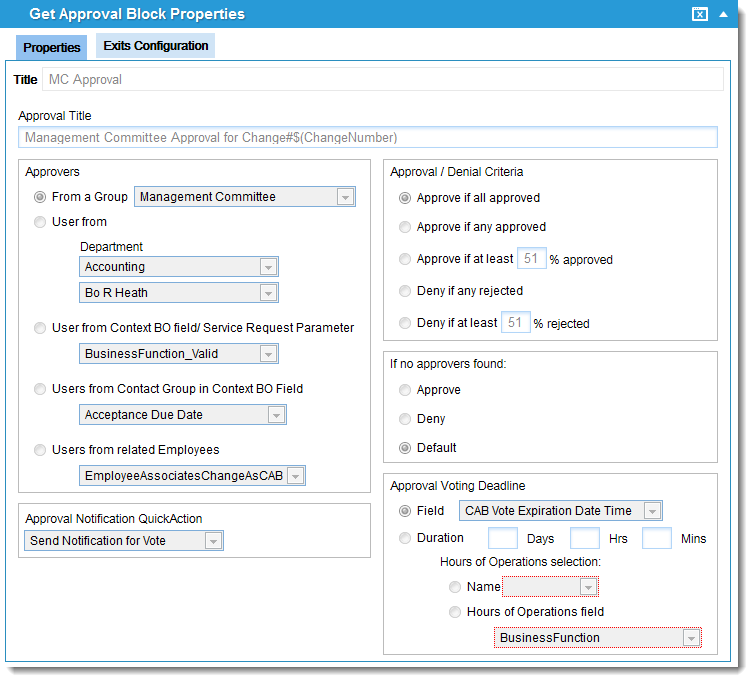
•If approved: Go to Notification Approved change notification
•If denied: Go to Notification Denied change notification
•If timed out: Go to Notification Timed out approval notification.
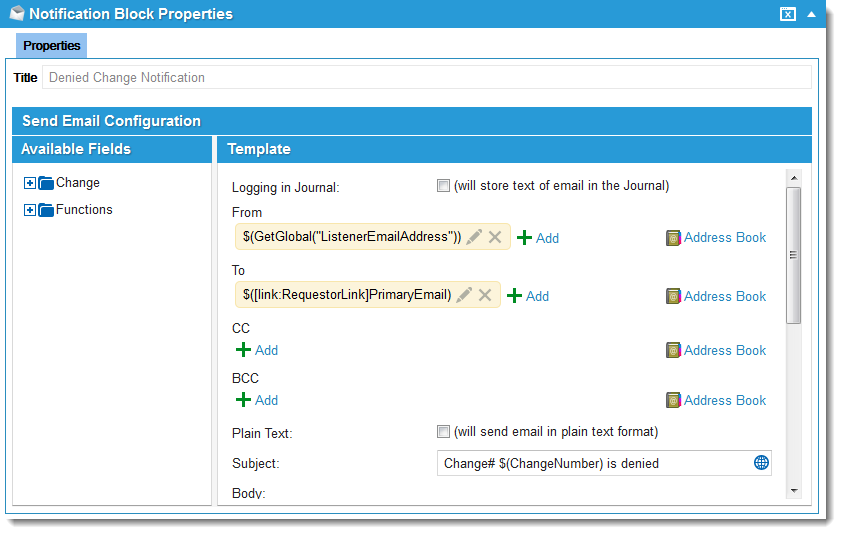
7.Notification Denied change notification
Denied Change Notification
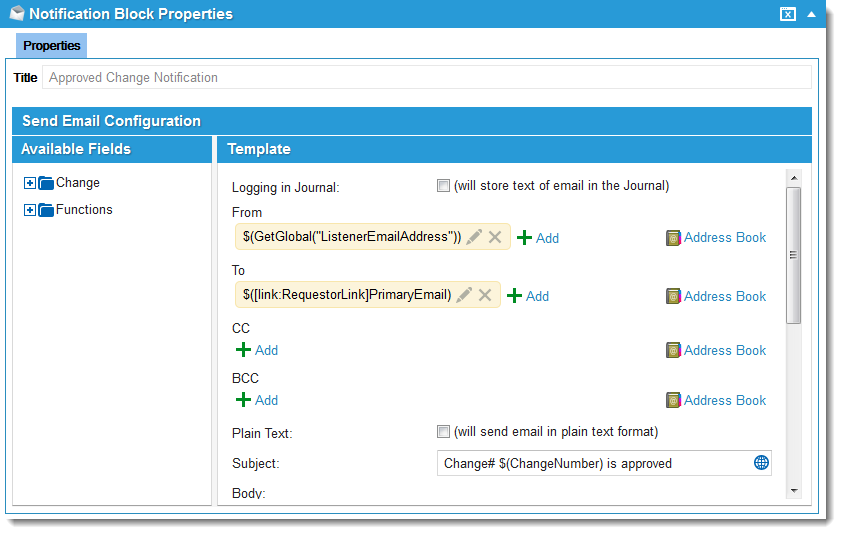
8.Notification Approved change notification
Approved Change Notification
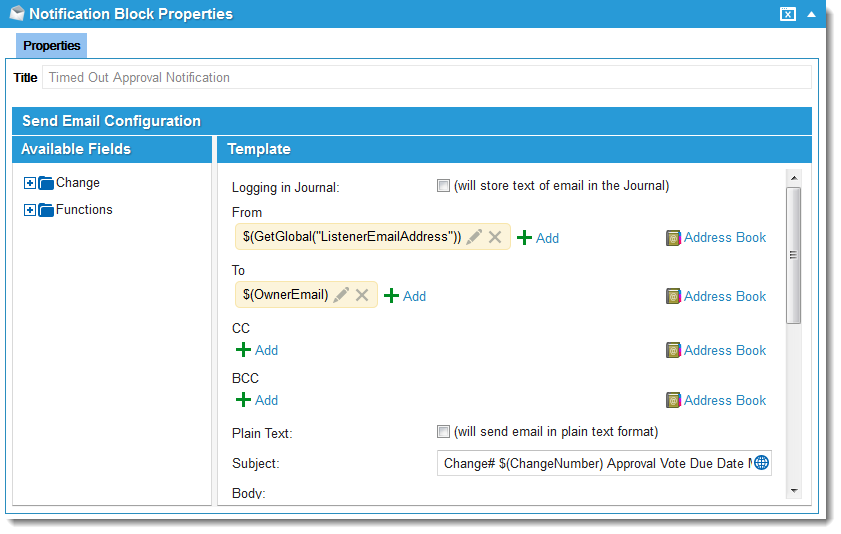
9.Notification Timed out approval notification.
Timed Out Approval Notification
10.Update Set status to scheduled.
Status: Scheduled
•Ok: Go to stop.
•Failed: Go to stop.
11.Update Set cancellation reason.
Cancellation reason: Change approval denied by CAB member or approval board.
•Ok: Go to Update Set status to denied.
•Failed: Go to stop.
12.Update Set status to denied.
Status: Denied
•Ok: Go to stop.
•Failed: Go to stop.